BDS 761: Data Science and Machine Learning I

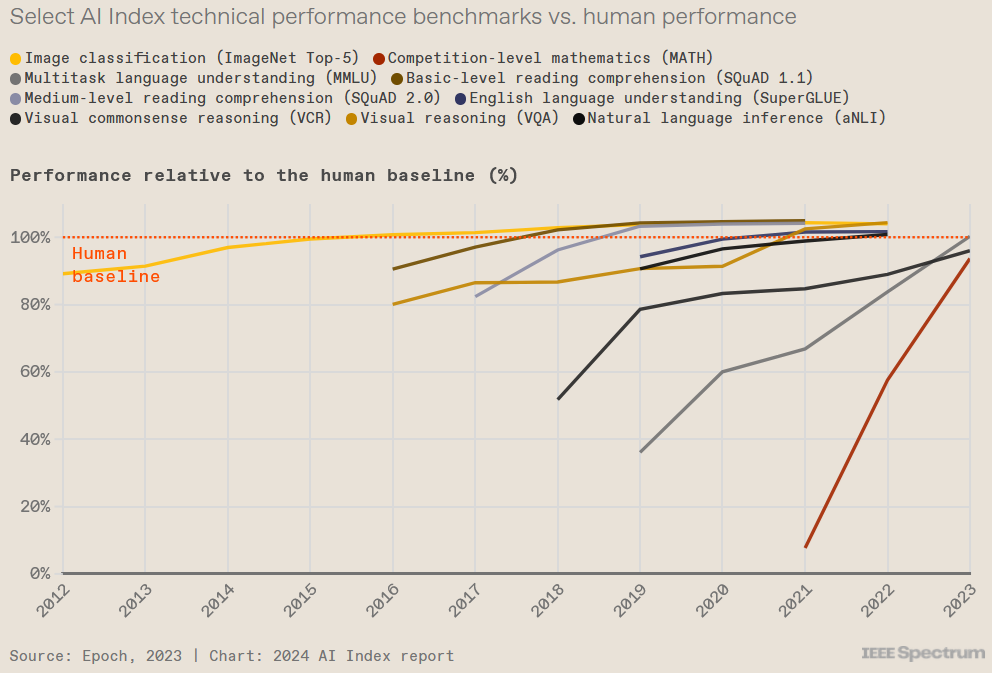
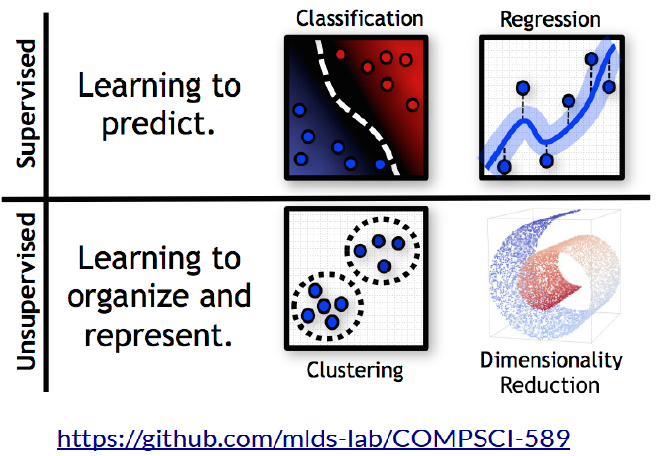
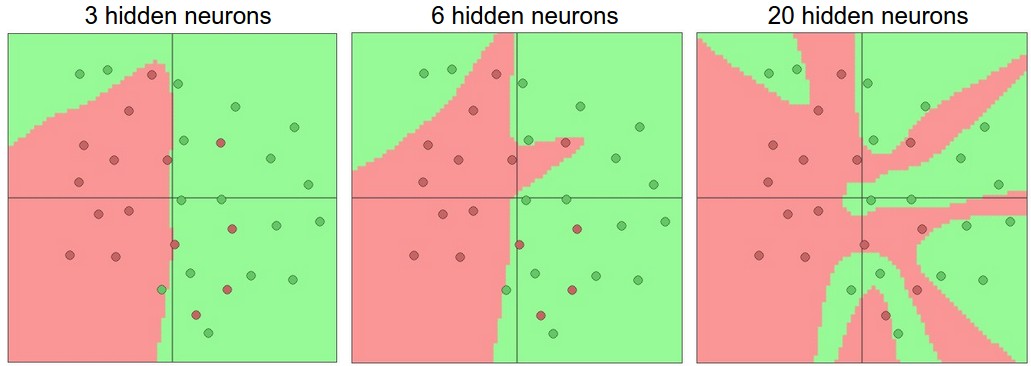
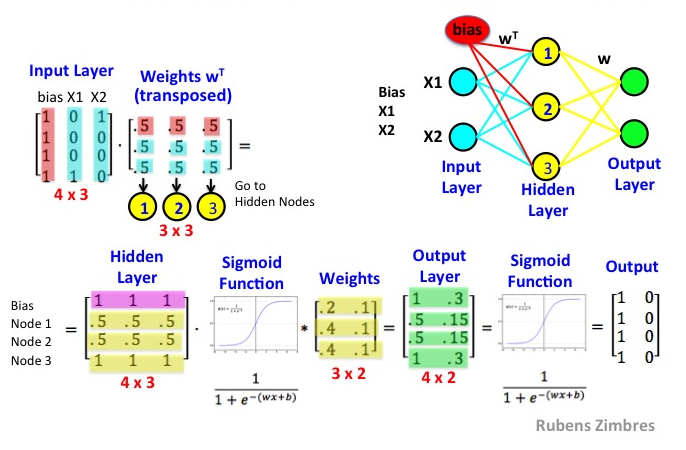
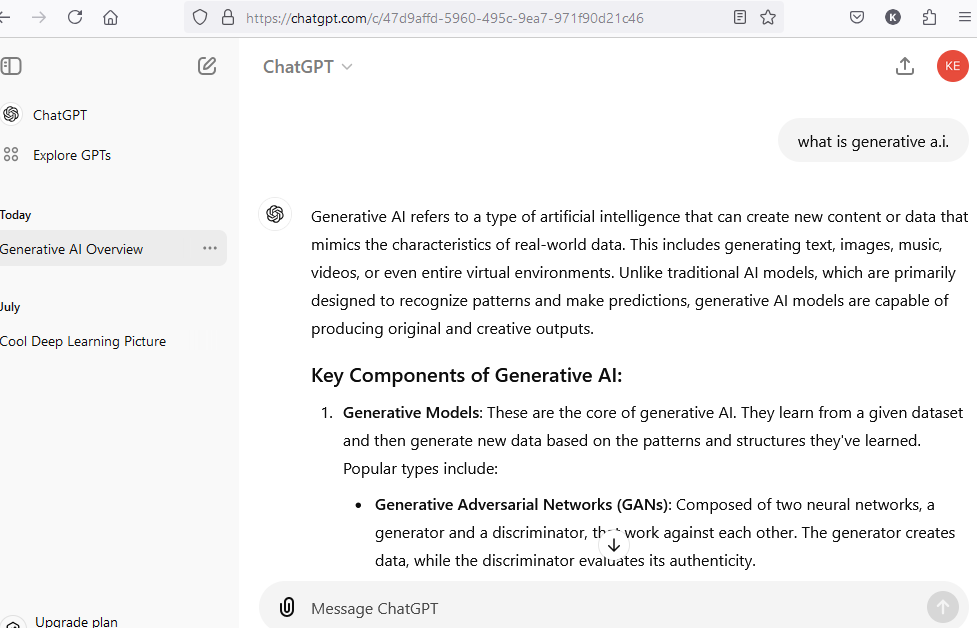
What are these pictures depicting?
What Machine Learning methods have you heard of?
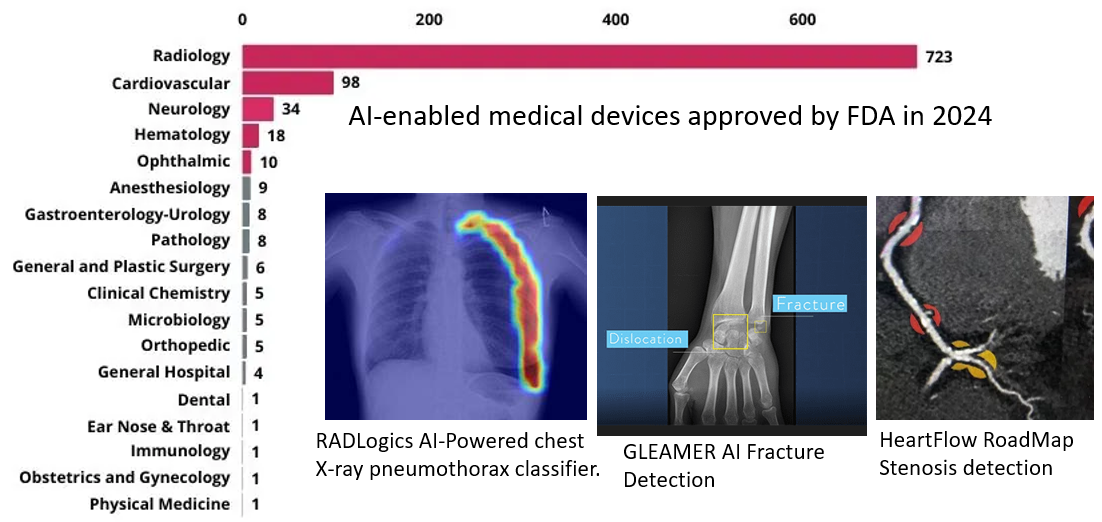
A narrow class of model types have achieved all the successes charted above.
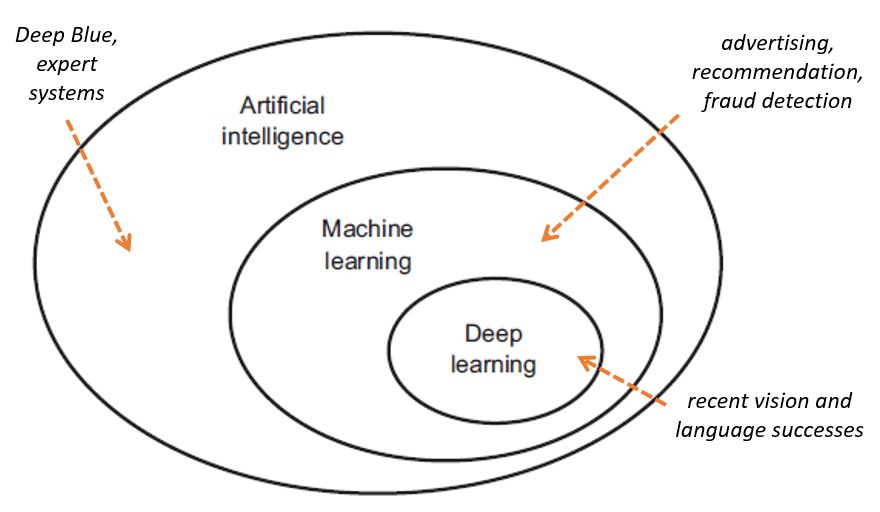
Learning" - means learning from data, a subcategory of Data Science
What does Data Science mean?
Data-driven science?
Methods for processing and exploiting big data?
Nearer points represent more similar methods...
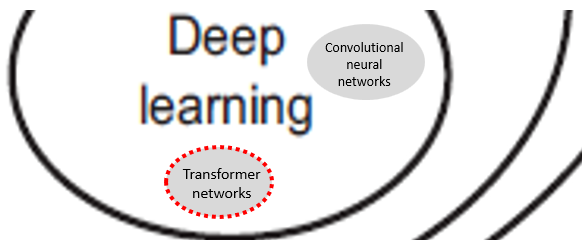
“Convolutional Neural Networks” - used for highly-accurate image classification. Dominate current healthcare use (e.g., detecting tumors)
“Transformers” - currently used for Large Language Models (LLMs) because they can handle very large (complex) models LLMs are the basis for ChatGPT (2022) and the most recent phase of the “Artificial Intelligence boom”
From another perspective, Deep Learning brought a huge leap forward because the hardest part of machine learning was able to be mostly automated, by using lots of data
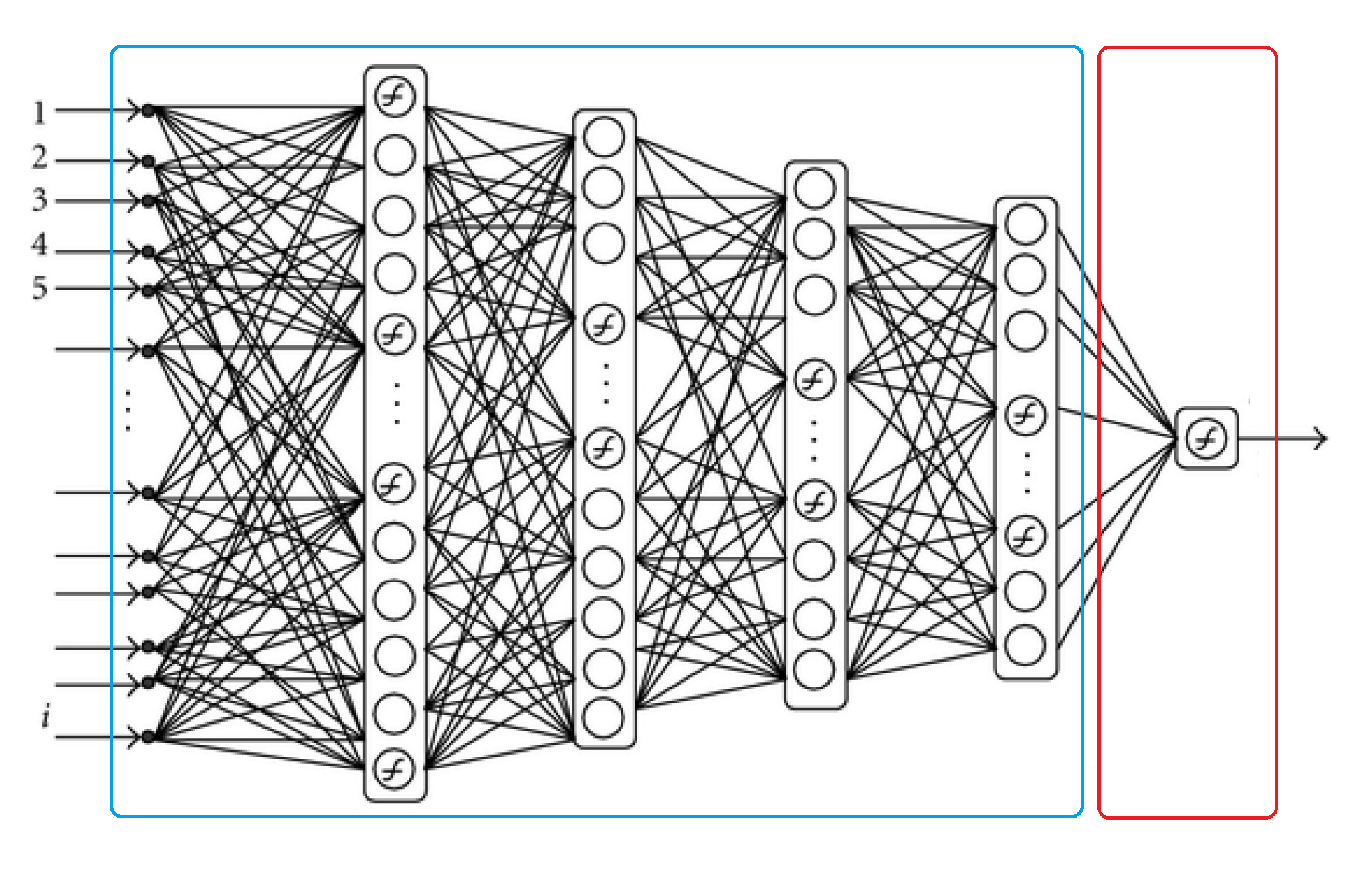
deep network as a shallow machine learning model (logistic regression typically) plus a bunch of preceding layers for representation learning
At least humans can label training data for us...
Then we can assume a “function” exists which we can approximate with a sufficiently-complex network. The more complex the network, the more:
are required to “fit” the approximation.
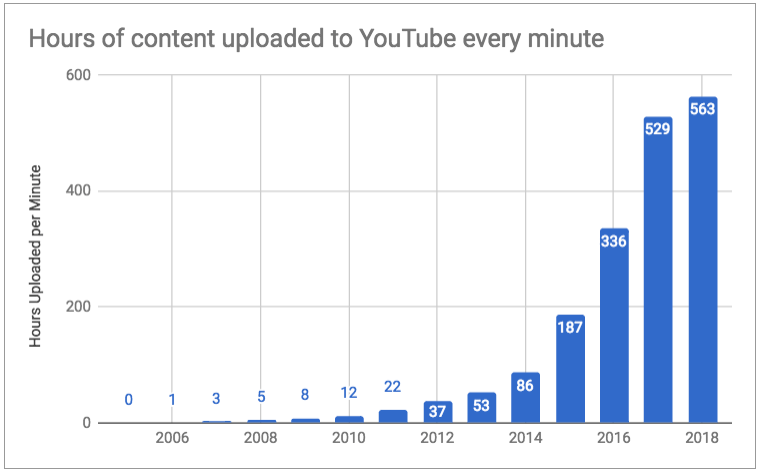
Winning methods need to be able to handle increasingly cast dataset sizes
The supposed end of Moore's Law
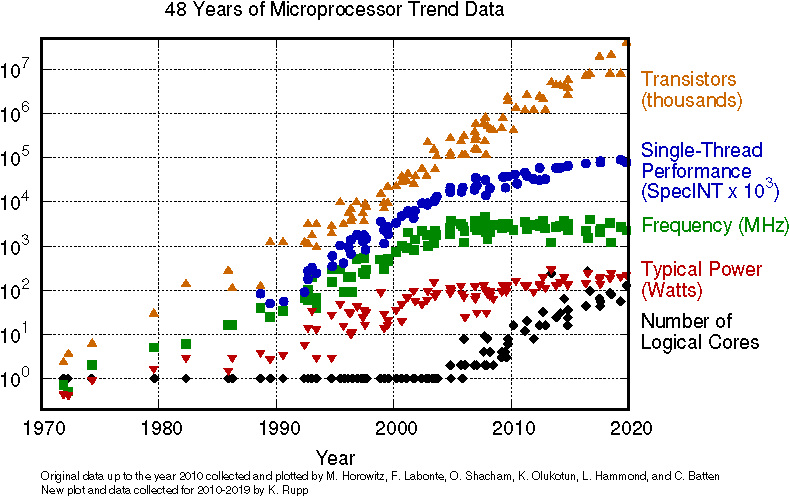
CPU's stopped getting faster clock speeds around 3GHZ
Countered by increasing number of cores on chip
100x increase in compute (due to more cores) in 20 years (since clock speed stopped)
To take advantage of this gain, need algorithms and techniques that can scale well
Good: matrix multiplication, gradient descent
Bad: triangular solve, Newton's method
"The biggest lesson that can be read from 70 years of AI research is that general methods that leverage computation are ultimately the most effective, and by a large margin. The ultimate reason for this is Moore's law, or rather its generalization of continued exponentially falling cost per unit of computation."
Rich Sutton, 2019
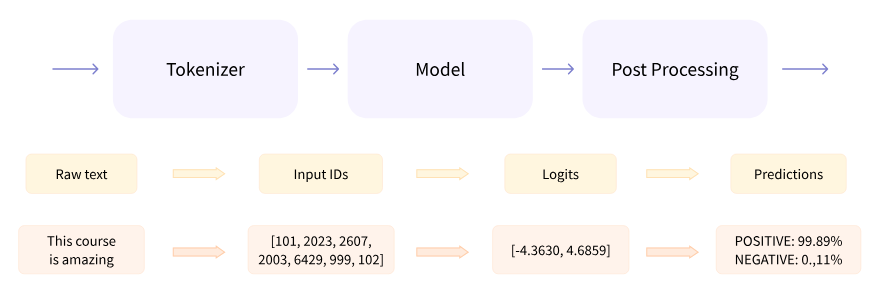
https://huggingface.co/google --> https://huggingface.co/google-bert/bert-base-cased
--> Use this model --> google Colab
Create a new cell and run the examples from above model webpage such as:
from transformers import pipeline
unmasker = pipeline('fill-mask', model='bert-base-cased')
unmasker("Hello I'm a [MASK] model.")
General Matrix Multiplication (GEMM) ~ $C = \alpha AB + \beta C$
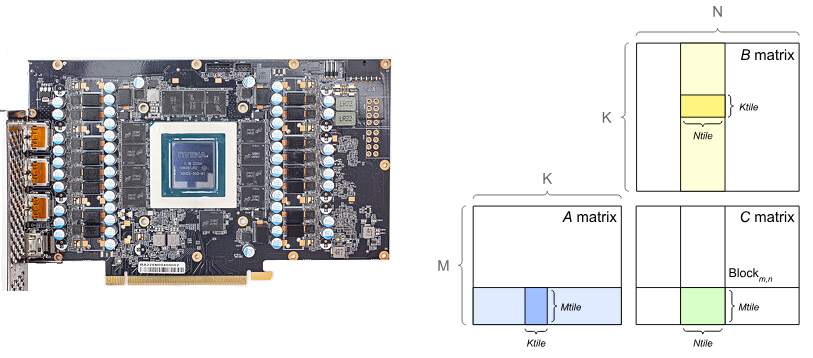
https://docs.nvidia.com/deeplearning/performance/dl-performance-matrix-multiplication/index.html
We will focus largely on regression and related methods
also some scalable clustering, dimensionality reduction, and graph methods
We will focus on methods and tools in the following broad areas
Example: taking a working AI model, making it robust versus degredation by generating degraded training data
Programming skills in Python and numpy
Linear Algebra
Basic Probability & Statistics
There is no required text. There is a vast supply of free resources online. Suggestions:
Introduction to Applied Linear Algebra, Boyd & Vendenberghe 2018, http://vmls-book.stanford.edu/
Speech and Language Processing, 3e, Jurafsky & Martin 2024. https://web.stanford.edu/~jurafsky/slp3/
Some python and linear algebra review material:
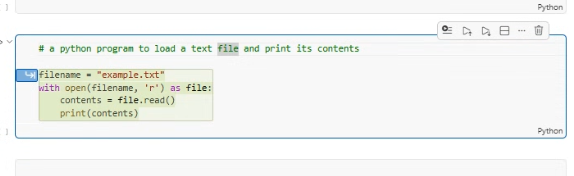
A single document containing a series of "cells". Each containing code which can be run, or images and other documentation.
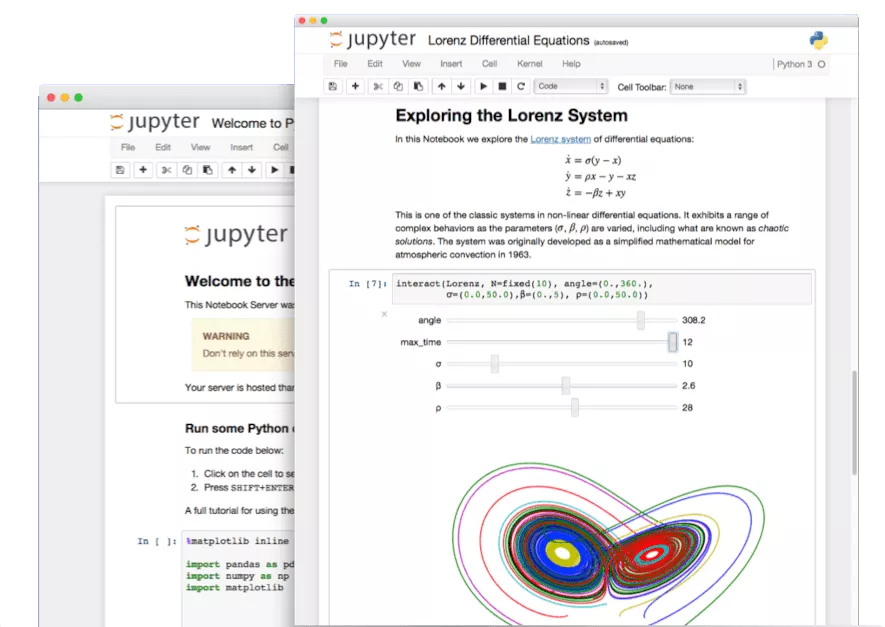
Will execute code and display result below, or render markup etc.
Jupyter can also run R or Julia, Matlab, SQL, etc. (with increasing difficulty).
import datetime

print("This code is run right now (" + str(datetime.datetime.now()) + ")")

'hi'
This code is run right now (2025-08-26 14:41:26.932482)
'hi'
x=1+2+2

print(x)
5
import numpy as np
np.random.randn(2,5)
array([[ 1.24350758,  1.99906955, -0.3226366 , -0.98266019, -0.1309466 ],
       [-0.85026968, -0.35865037,  0.70637075,  1.06492839,  0.35220974]])
np.ones((2,2))
array([[1., 1.],
       [1., 1.]])
First project: get Jupyter running and be able to import listed tools
Easiest to install via Anaconda. Preferrably Python 3.
https://www.anaconda.com/download/
Highly recomended to make a separate environment for class - hot open source tools change fast and deprecate (i.e. break) old features constantly
conda create env -m MY_ENV_FALL_2026
conda activate MY_ENV_FALL_2026
conda install jupyter matplotlib numpy scipy pytorch cupy...
Many other packages...
Google CoLab: https://colab.research.google.com/notebooks/welcome.ipynb
Kaggle Kernel: https://www.kaggle.com/kernels
[shift] + [tab] after the opening parenthesis function(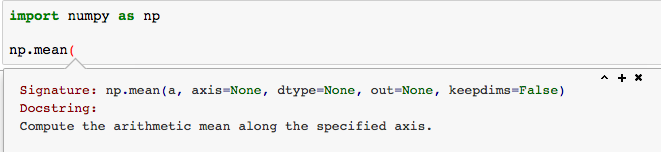
function?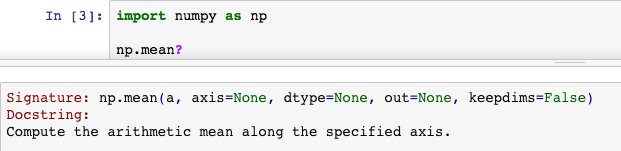
Plug-in replacement of array programming
Behind the scenes it will transfer data to GPU and back.
pip install cupy
pip install cupy-cuda12x
import numpy as np

a = np.arange(0,1000)
b = np.ones(1000)
a[:10], b[:10], (a+b)[:10]
(array([0, 1, 2, 3, 4, 5, 6, 7, 8, 9]),
 array([1., 1., 1., 1., 1., 1., 1., 1., 1., 1.]),
 array([ 1.,  2.,  3.,  4.,  5.,  6.,  7.,  8.,  9., 10.]))
import cupy as np # <--- replacing numpy with cupy

print('GPU available:', np.is_available()) # True if GPU execution is available

# same numpy code as above
a = np.arange(0,1000)
b = np.ones(1000)
a[:10], b[:10], (a+b)[:10]
GPU available: True
(array([0, 1, 2, 3, 4, 5, 6, 7, 8, 9]),
 array([1., 1., 1., 1., 1., 1., 1., 1., 1., 1.]),
 array([ 1.,  2.,  3.,  4.,  5.,  6.,  7.,  8.,  9., 10.]))
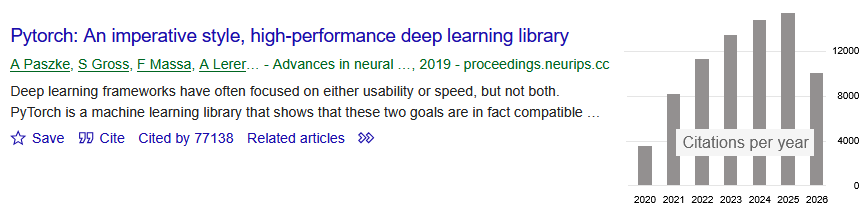
Python-based scientific computing package targeted at deep learning, "tensor mathematics", and automatic differentiation on GPUs.
import torch as t
print(t.__version__)
device = "cuda" if t.cuda.is_available() else "cpu"
print(device)
2.6.0
a = t.arange(0, 1000)
b = t.ones(1000)
a[:10], b[:10], (a+b)[:10]